


Scan and upload function
Scan and upload function for documents and photos
There, the scans are stored in the “Document Center” and made accessible to all those involved in the care process who have access to the patient’s account. In this way, important documents (scans) are stored for the patient in a defined location (SMA app) and are always “at hand” (on the smartphone). At the same time, these documents can be viewed by coordinators, SMA outpatient clinics, the SMA pharmacy, medical supply stores, aid providers and nutrition and respiratory teams.
The SMA app has a scan function. This allows documents to be photographed (“scanned”), sorted into different categories (e.g. doctor’s letter, referral slip, prescription) and uploaded to the SMA app. These documents are visible in the app and are also synchronized with the user account on the outpatient partner care platform.
Doctor’s letters and diagnostic reports are of particular interest, especially those that indicate the diagnosis. This document can also be used by outpatient partners to complete the diagnosis and other medical details (symptoms and secondary diagnoses) in the patient account. With the scans via the SMA app, an outpatient clinic can gain access to medical documents from other hospitals or medical practices without the patient always having to carry the printed letters with them. Even after the introduction of the electronic patient record in Germany (ePA), the exchange of documents between medical facilities is incomplete, so it is helpful for patients to provide the documents themselves.
The scan function is also suitable for letters from health insurance companies, letters of objection against rejected medical aids as well as expert opinions and test reports on medical aids. These documents are important for medical supply stores, outpatient clinics and other partners involved in the provision of medical aids. Living wills and health care proxies are other important documents that can be scanned and saved on the SMA app and shared with the care network. For living wills in particular, the SMA app offers the option of the patient’s decision for (or against) certain measures being available on the SMA app and the outpatient partner account in addition to the original document at home (“in the drawer”). I
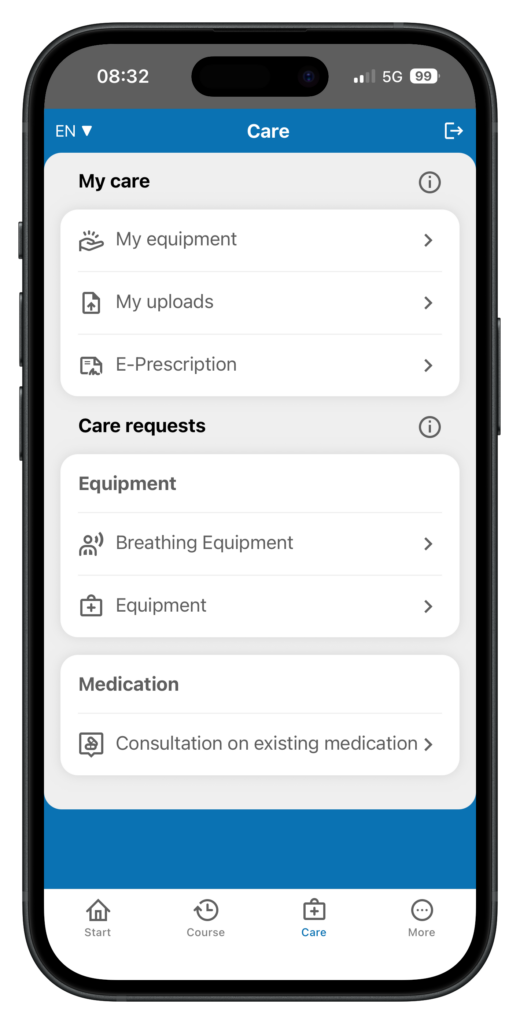
SMA app with the Supply page, the “My supply” area and the “My uploads” menu item. Clicking on the “My uploads” menu item opens the “My uploads” page for scanning and uploading documents.
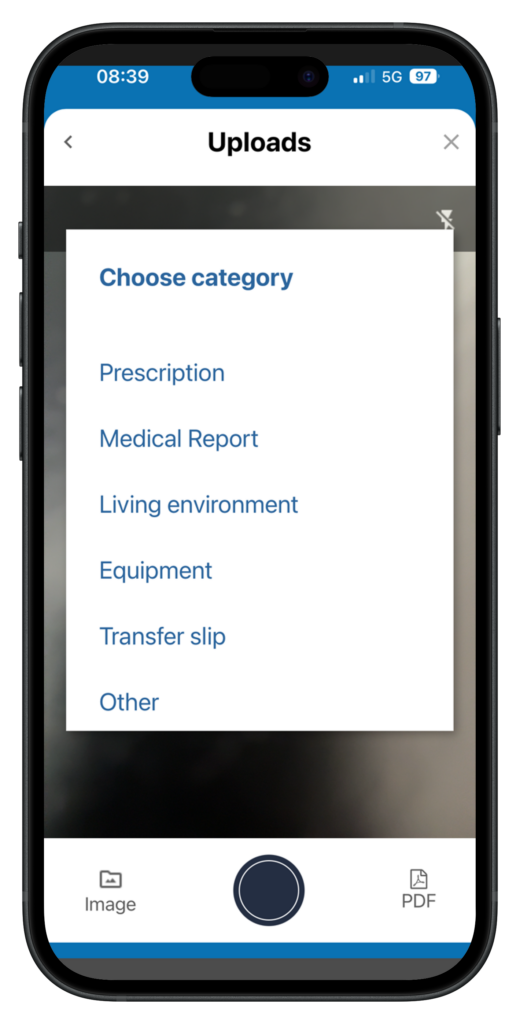
SMA app with the “Uploads” page. You can use the selection options to choose whether you want to upload a prescription, a doctor’s letter or a photo of your medical aid or living environment to your patient account on the Outpatient Partner web portal.
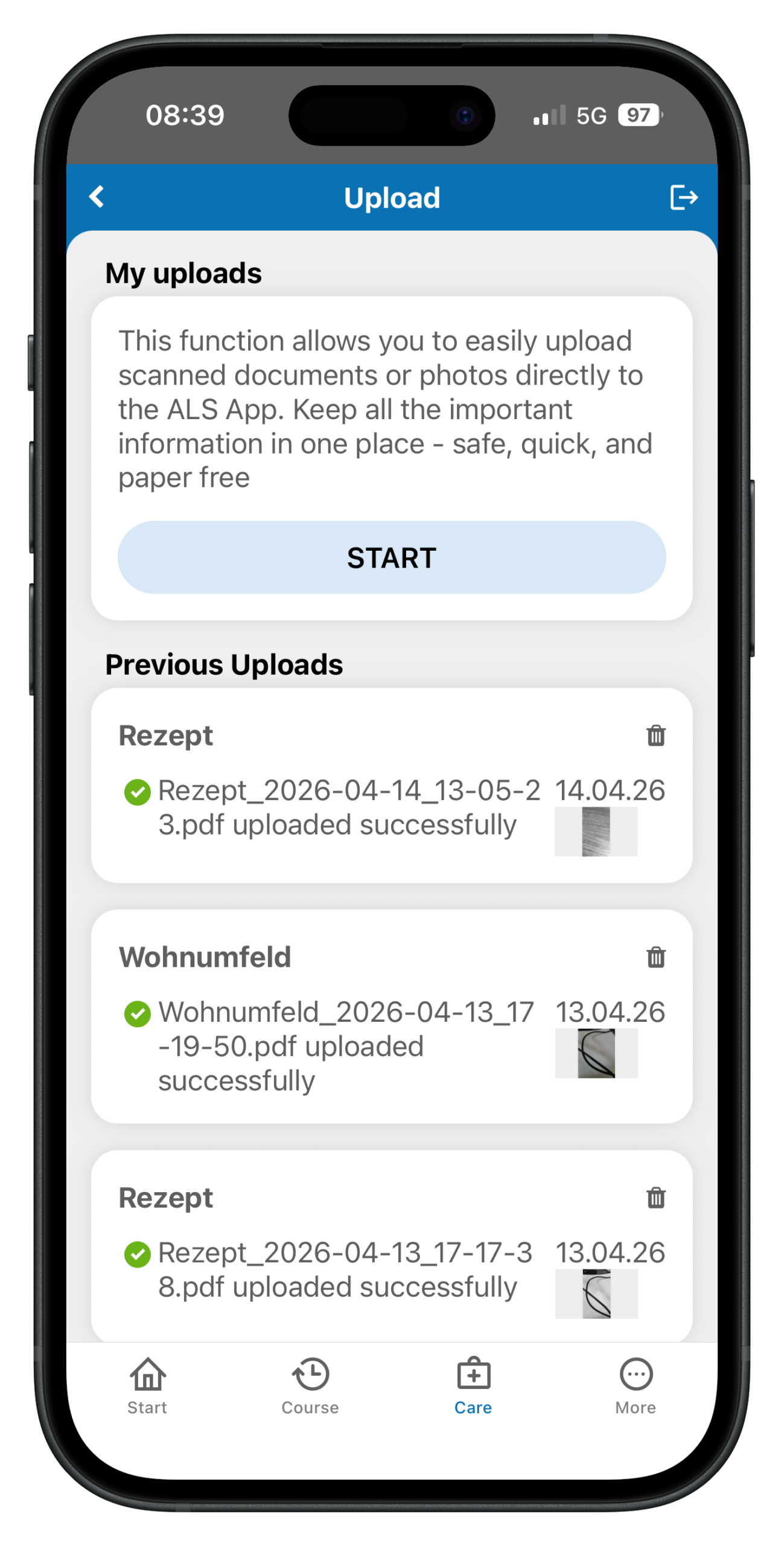
The SMA app has a photo function. This can be used to take photos of things that are relevant for treatment, care or medical documentation at the SMA. These photos can be sorted into different categories on the SMA app (e.g. living environment, aids), labeled and uploaded. All photos on the app are also synchronized with the user account on the ambulance partner care platform. There, the photos are stored in the “Document Center” and made accessible to all those involved in care who have access to the patient’s account. In this way, SMA-related photos can be saved in a defined location (SMA app) and stored in compliance with data protection regulations.
The photos can be seen by coordinators, SMA outpatient clinics, SMA pharmacies, medical supply stores, assistive technology providers and nutrition and respiratory teams involved in the care of the specific patient. Photos of the patient’s own living environment, especially of stairs, thresholds, doors, bathrooms, showers and bathtubs, are of particular interest to assistive technology providers. With knowledge of these photos, assistive technology providers can gain an impression of the living environment in which the care will take place before the first on-site visit. This can be helpful when selecting aids and taking these products with them on their first visit to the patient’s home.
Outpatient partner coordinators are interested in photos of aids that have already been delivered in order to compare them with the documentation of aids on the platform. For example, there may occasionally be discrepancies between the aids requested and those delivered. These discrepancies can be identified very effectively using the photos. It is therefore recommended that patients photograph and save all aids and medical devices supplied via the SMA app. Another scenario for photos of medical aids concerns technical faults and defects, some of which can be photographed. Error messages on displays or mechanical defects (e.g. from an orthosis or wheelchair) can be photographed and reported via the app. This information can be very helpful for the aid provider to better assess the defect from a distance and to better decide and plan the repair (or replacement) of the defective product.