



Go live planned for 29.04.2026
The nutritional support module in the APST care portal has been completely redesigned. The aim of the new module is to map the care processes for nutritional support even better, to manage them more clearly and to make daily work in the care process easier.
The new nutrition module has a more user-friendly design and offers an improved overview of ongoing care, process steps, status information and actions.
We would like to introduce you to the most important functions of the new module below.
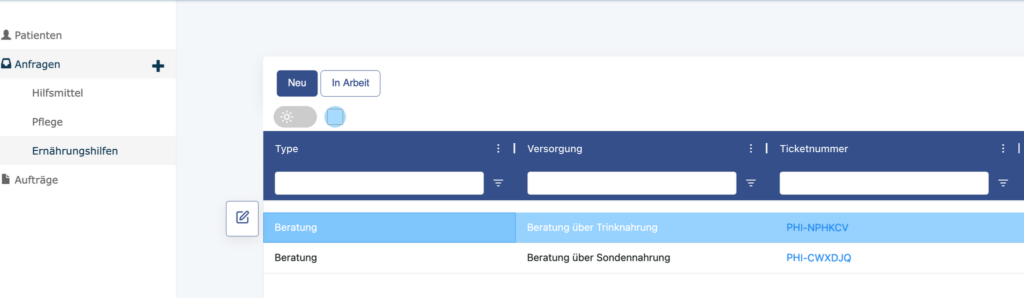
Overview of care processes in the account of a care partner
In the account of a care partner for nutritional support, you will find the tab “Requests > Nutritional support” in the left-hand work column. This overview provides a structured and user-friendly display of all processes relating to nutritional support. Newly assigned care processes can be found under the “New” button. Under “In progress” you will find an overview of your current tickets.
Overview of a patient’s nutritional aids
In the patient view, the care processes of an individual patient can be viewed and edited in the “Care > Nutritional aids” tab. This gives care partners a quick overview of the current status of a patient’s care.
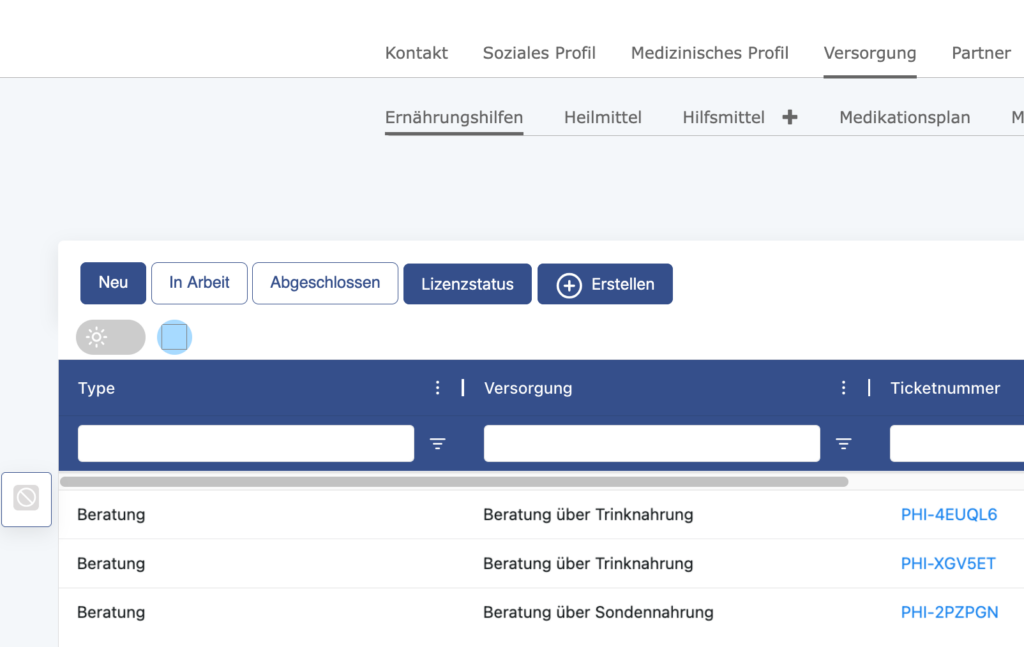
Overviews with filter for process period and export function
There is a filter function in the top right-hand corner of the complete overview of care processes for nutritional support. This can be used to select the period for which data should be displayed. An export function is available directly next to it. This can be used to export the displayed data as an Excel file.

Details and status of a supply
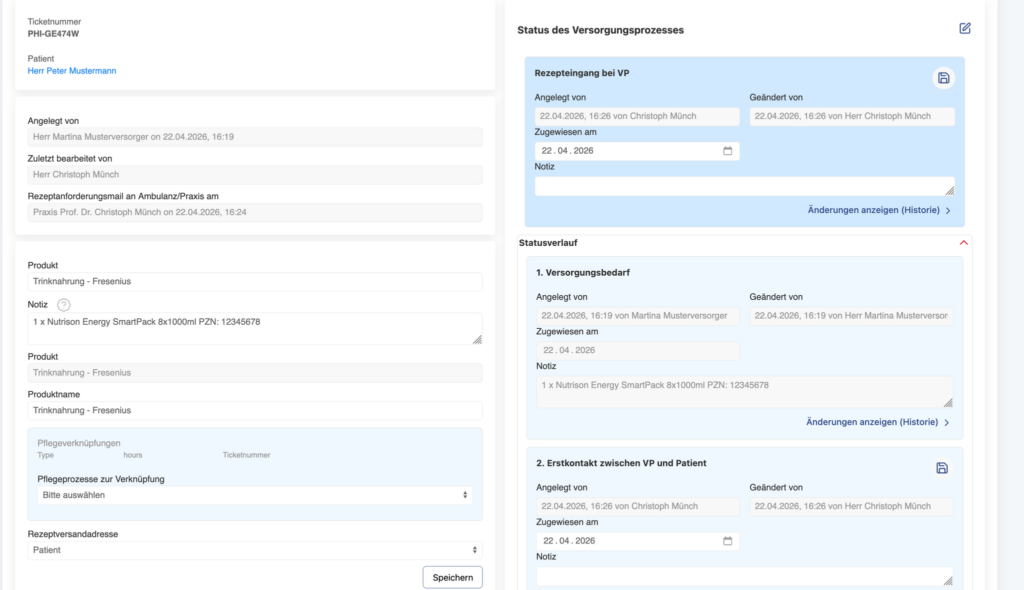
Clicking on the ticket number of a supply process opens the detailed view of the respective process.
The individual status steps of the care process and the interactions of the players involved are displayed there. This allows the progress and current status of care to be tracked transparently.
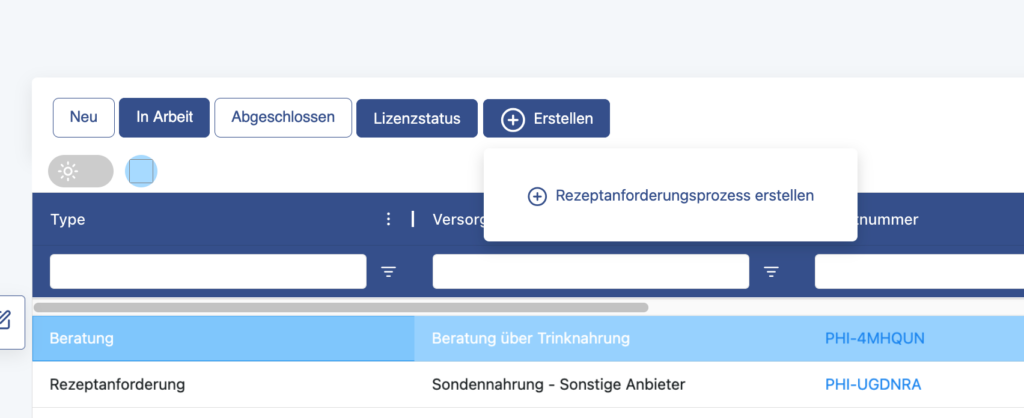
Create recipe request process
Care partners can directly trigger a prescription request process for nutritional support in the new module.
A prescription can be requested via the “Create > Prescription request process” button. The button is located in the top left-hand corner above the overview of a patient’s care processes.
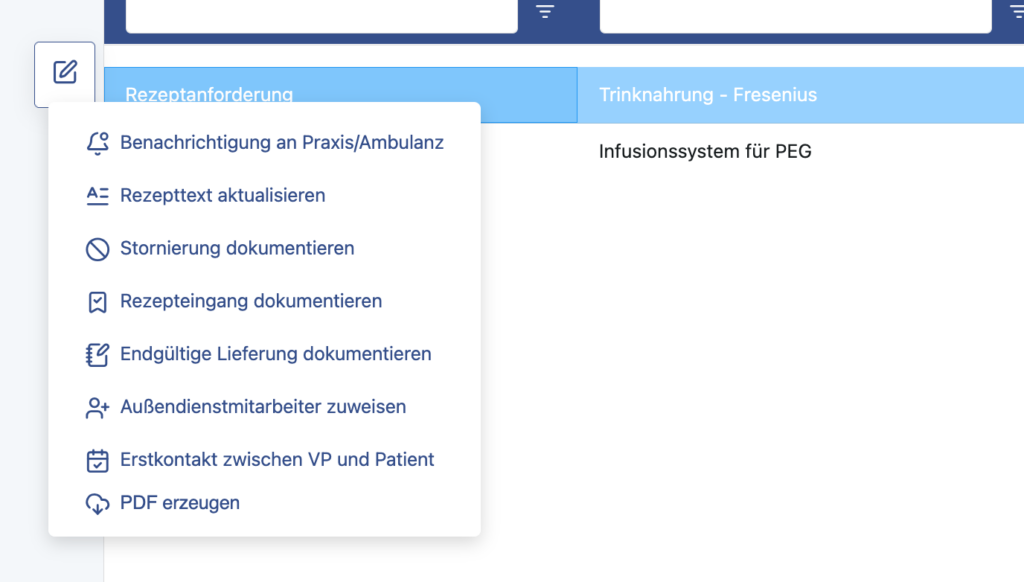
Actions in a supply process
Supply partners can perform various actions within a supply process. The action menu opens via the pencil icon on the left-hand side of a supply process.
The following actions are available:
- Notification of an ambulance
- Update recipe text
- Documenting cancelation
- Document incoming prescriptions
- Document delivery
These functions support structured documentation and processing of the individual process steps.
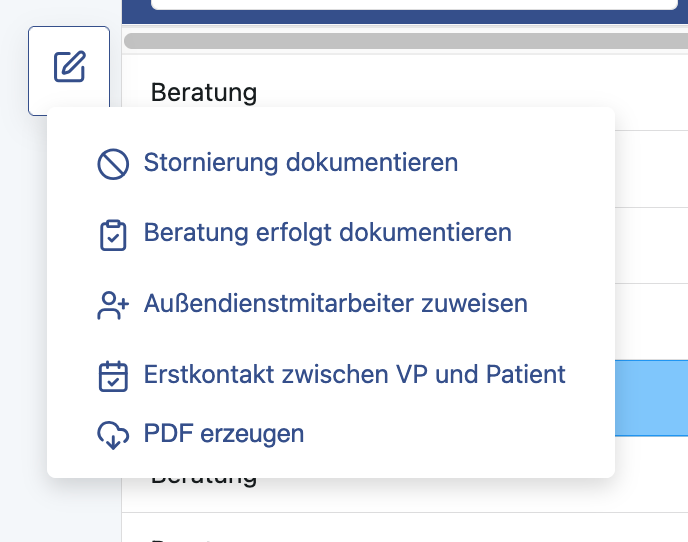
Document consultation and initial contact
Consultation processes and the initial contact between the care partner and patient can also be documented in the new module. The following functions are available for this in the action menu of a consultation process:
- “Consultation is documented”
- “Initial contact between VP and patient”
The menu also opens via the pencil icon on the left-hand side of a consultation process in the overview of all care processes.
Livegang planned for 29.04.2026.
The new module has been extensively tested. Should errors or inconsistencies occur after going live, we would be pleased to receive your feedback. Please send any information on possible bugs or suggestions for improvement to: info@ambulanzpartner.de
We are looking forward to the launch of the new nutritional support module and would like to thank you for your support.
Yours sincerely
Your APST team