



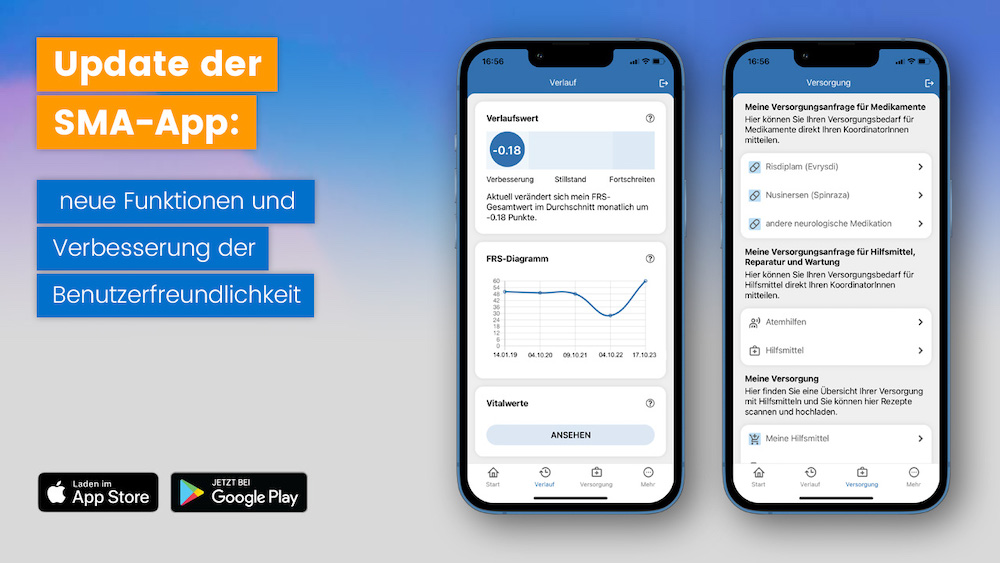
New functions have been added to the SMA app and its user-friendliness has been optimized. The latest update to version 2.0.7 is now available free of charge from the Apple App Store and Google Play. The most important new features of the current version are briefly presented below.
Illustration of the individual course of SMA
The presentation of the SMA function scale has been improved in the app to give users an even better overview of their individual disease progression. The SMA function scale is a questionnaire with 15 questions on physical functions such as speaking, writing or walking. By answering the questions regularly, changes in the course of the disease can be made visible and the development of SMA can be better assessed. In this way, the function helps to record the personal state of health in a more structured way and to present developments over time in a comprehensible manner.
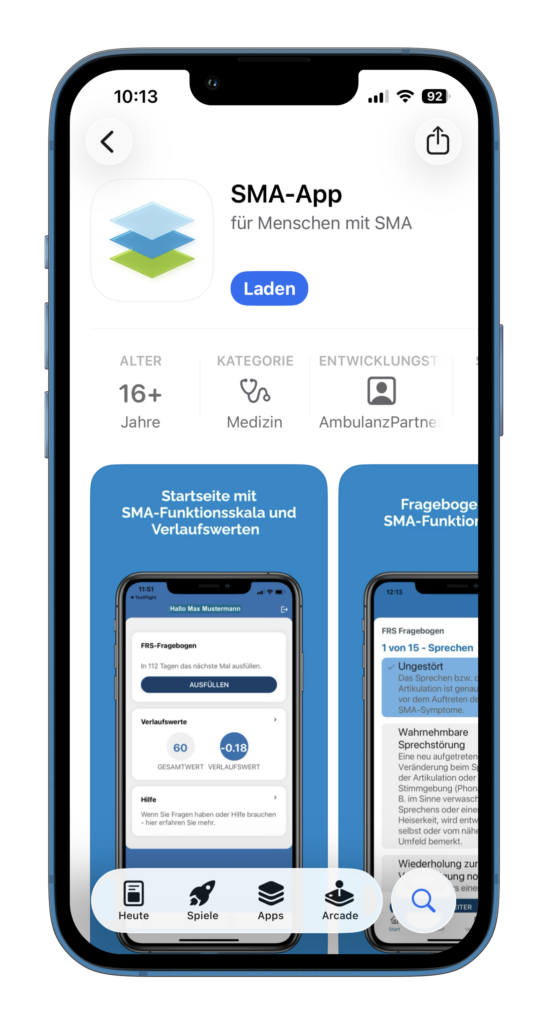
The SMA app can be downloaded free of charge from the Apple App Store and Google Play. Keywords for the search are SMA, spinal muscular atrophy or SMA app.
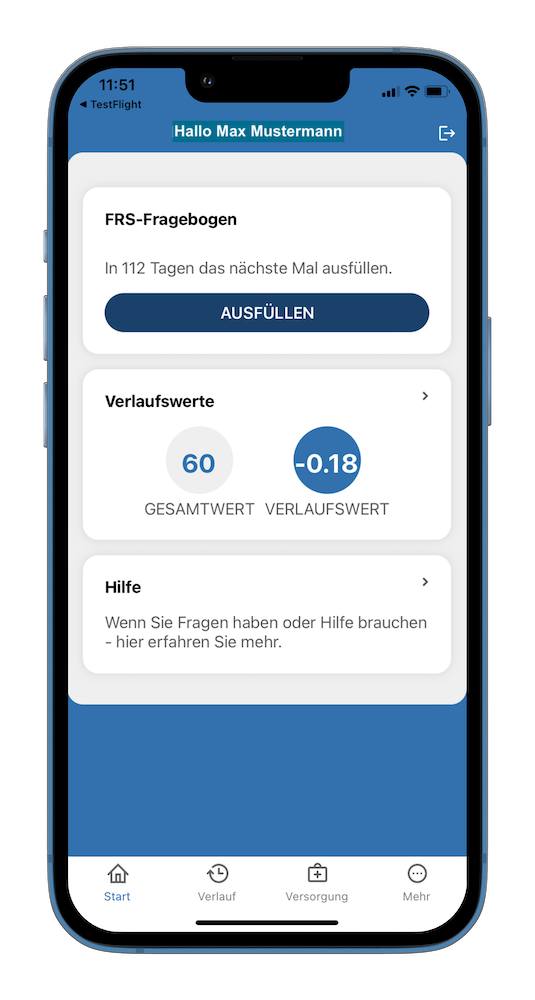
You can access the FRS questionnaire via the “Fill in” button on the start page of the SMA app. The questionnaire should be completed every four months. The days until the next response are displayed.
Progression value of the SMA
The display of the SMA progress value has been revised. The progression score indicates how many points your total FRS score changes per month. It offers adults with SMA the opportunity to classify their own disease progression as improving, stationary or progressive. This allows an approximate prognosis of how the SMA disease will develop. Values below 0 indicate an improvement in the disease. Values above 0 indicate a progression of the disease and a value of 0 indicates a standstill. It therefore serves as a guide for the person affected, their doctors and therapists.
Recording the course of the SMA
The FRS diagram shows the values of the FRS self-assessment scale over time. The SMA Functional Rating Scale is a widely used instrument for measuring disease progression in SMA.
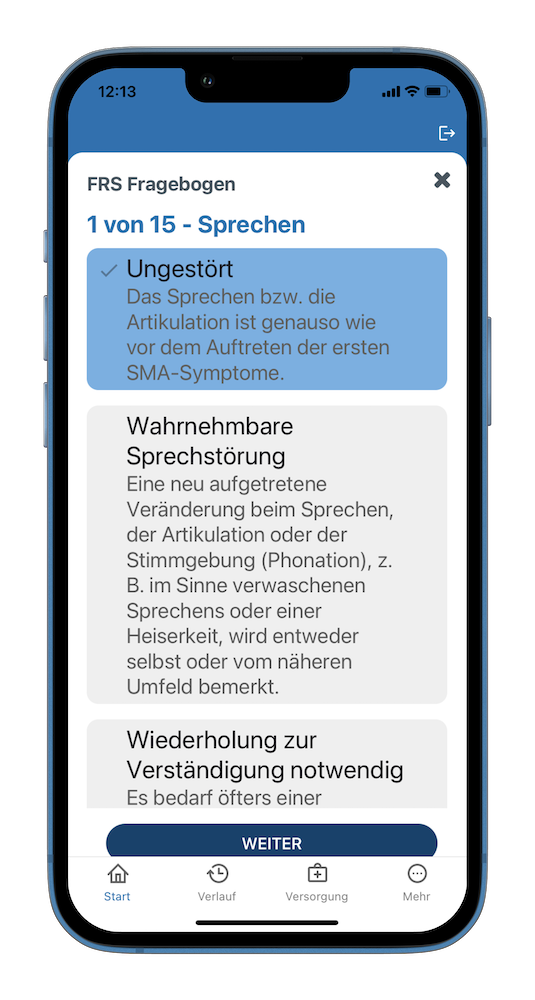
The FRS questionnaire consists of 15 questions on the functions of the head, arms, legs, trunk and breathing. The five possible answers per question are rated on a point scale from 0 to 4. Each answer option is briefly explained.
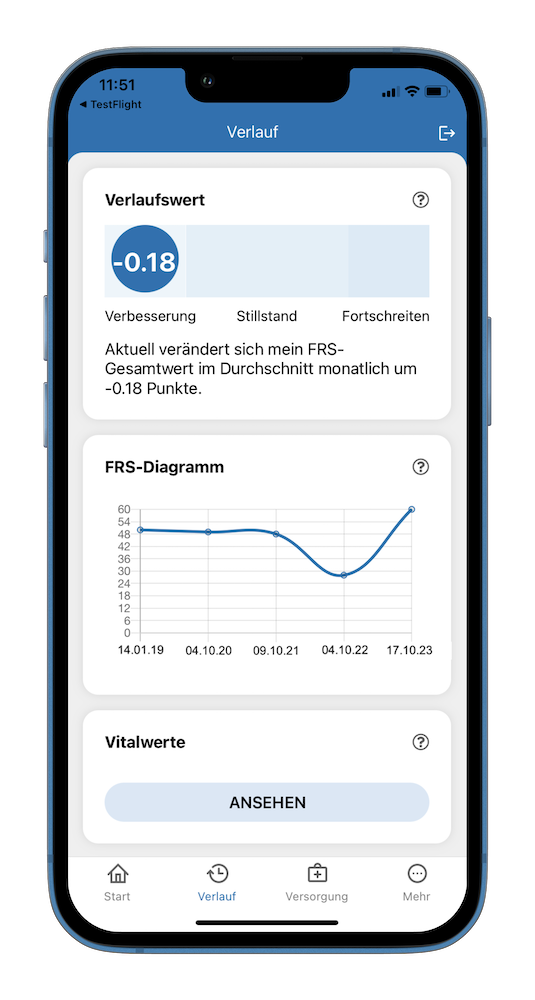
After answering the FRS questionnaire, the total score is between 60 and 0 points. The total score and the progress score are displayed after completing the questionnaire. At least two completed FRS questionnaires are required to calculate the progress score.
Recording vital signs
Vital signs are measured values that record important bodily functions. The most important vital signs in SMA for the treatment of respiration and nutrition are the body mass index, the vital capacity of the lungs and the peak cough. These vital signs provide important information for nutrition and ventilation therapy in SMA.
In the “Vital signs” section of the SMA app, the values are displayed over time as a diagram and table. The values can be entered via the SMA app or the patient account in the outpatient partner care portal. The values are entered by the user themselves, by the treatment team in a specialized outpatient clinic or via our data management.
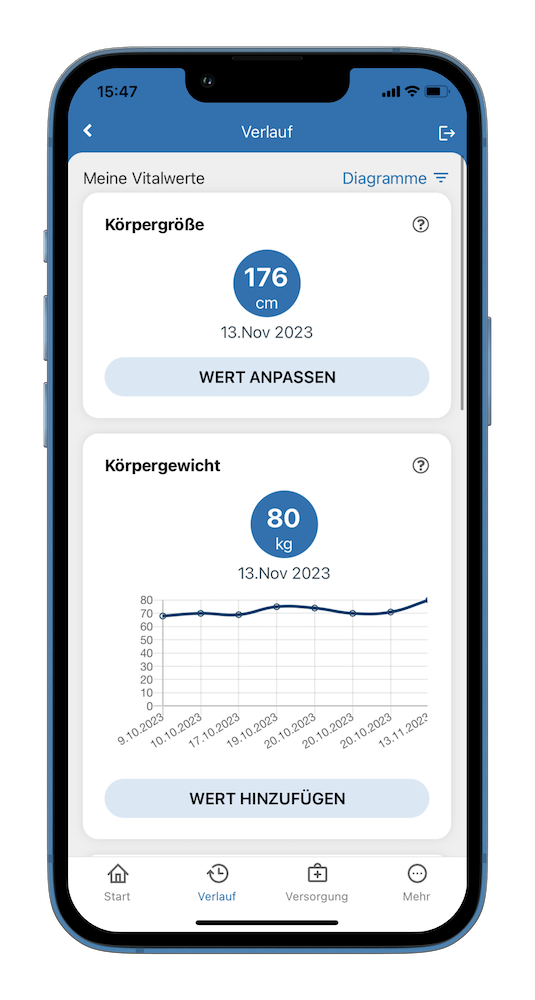
On the history page you will find the “Vital signs” section. The height, body weight, body mass index (BMI), vital capacity of the lungs and peak cough are displayed there over time.
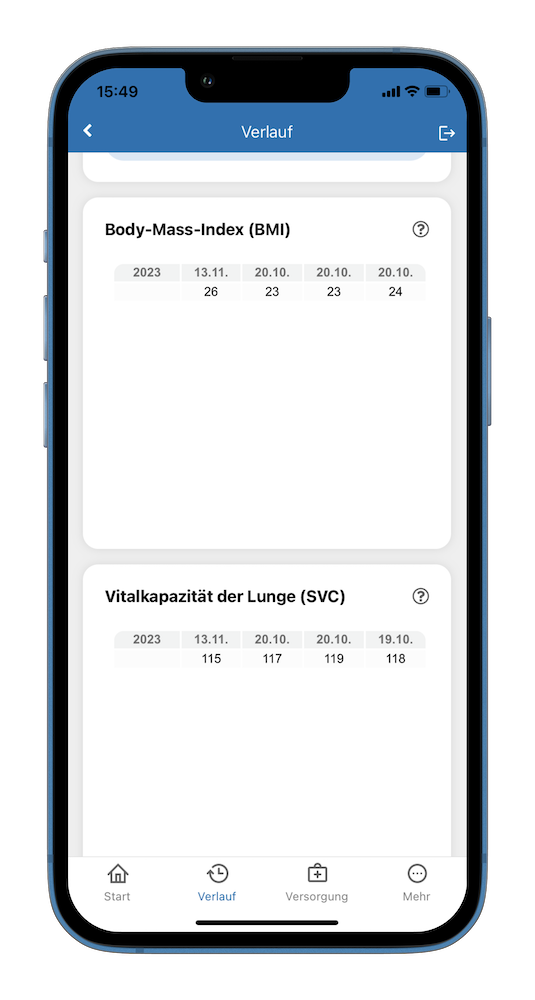
A selection menu in the real top corner enables the display of the vital signs over time as a diagram or table.
Notification of the need for medication and aids
The design of the function for notifying a supply requirement for aids and medication has been revised.
If this function is used in the app to indicate that an SMA-specific medication is required, case management is notified immediately. They will take care of the supply of a new or existing medication. A pharmacy specializing in SMA will then contact the user as soon as possible, provide advice and supply the medication.
If aids are needed, several categories of aids are available in the app. For example, you can use the app to notify us of your need for assistance with your living environment, a mobility aid or care aids. Once the need has been communicated via the app, you will also be contacted by your case management team to plan the next steps for the provision of an assistive device.
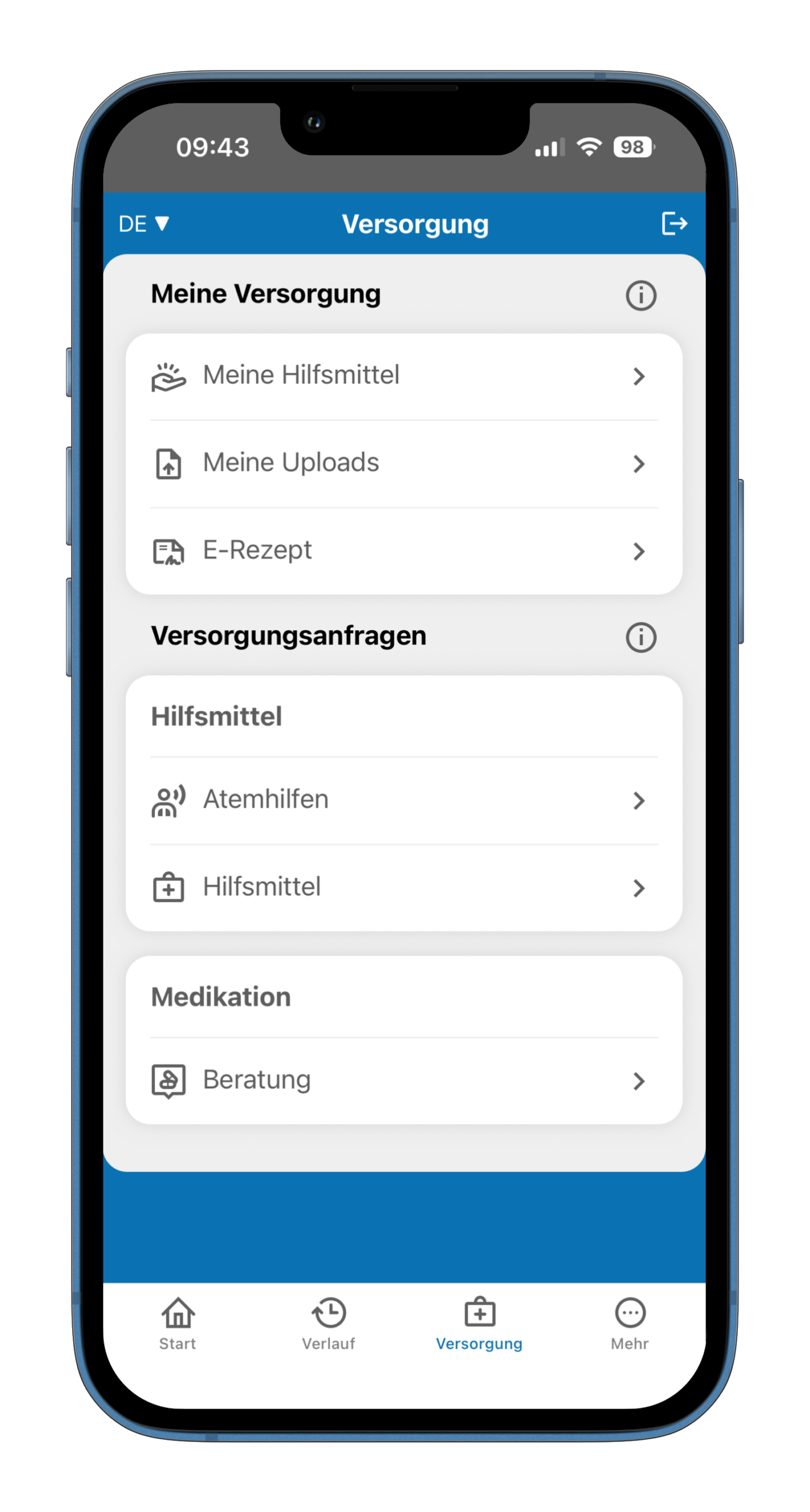
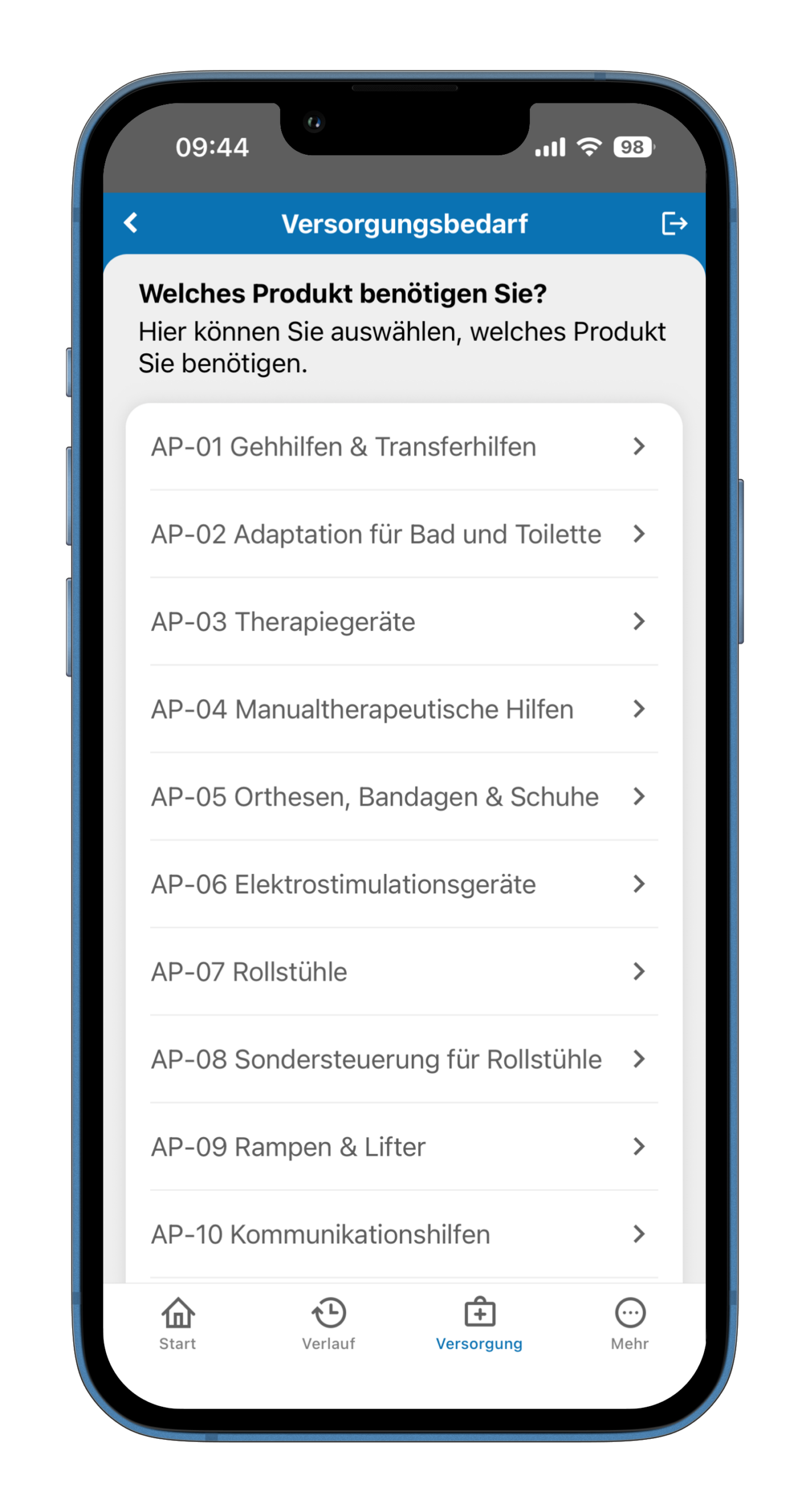
Users can use the “Supply request” function on the Supply page to inform their case manager of their need for a medication or medical aid.
The new “Care needs” function enables users to record and display their individual support and care needs clearly in the app.
| |
Scanning, recording and uploading doctor’s letters, care-related photos or prescriptions
With the scan and upload function, users of the SMA app can scan a doctor’s letter, care-related photos or the classic (paper) prescription with the app and upload them to their patient account. The documents and photos are then used by specialized pharmacies and providers for the supply of medication or medical aids.
Scan and upload function briefly explained
Scanning a document via the SMA app takes just a few simple steps. The function can be found on the “Supply” page in the “My supply” area. Please click on the menu item “My uploads”. After clicking, the “Uploads” page will open. On this page, please click on the “Start” button and select on the next page whether you would like to send a prescription, a doctor’s letter or a photo of your living environment or aids.
The camera function will now open, which you can use to scan or take a photo of your document, aid or living environment. After uploading, the scan or photo is uploaded to the patient account on the Outpatient Partner care portal. The specialist pharmacy or medical supply store will be informed of the scan of a prescription or photo and can adjust the care accordingly.users can use the “Care request” function on the Care page to inform their case manager of the need for a medication or aid.
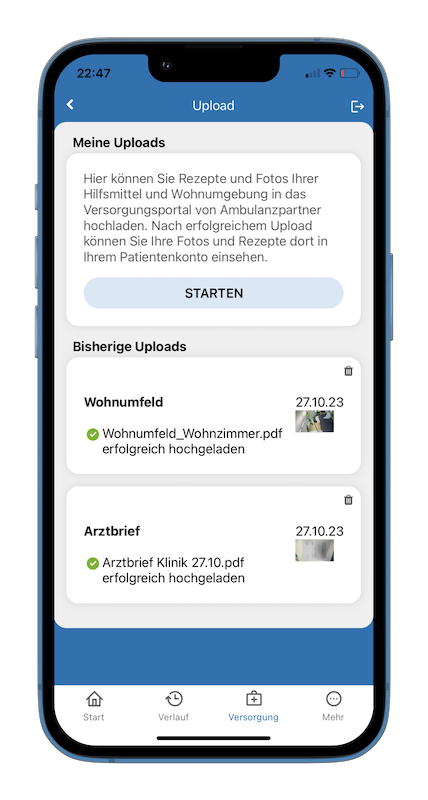
Clicking on the “Start” button in the “My uploads” area opens the camera function for scanning and taking photos
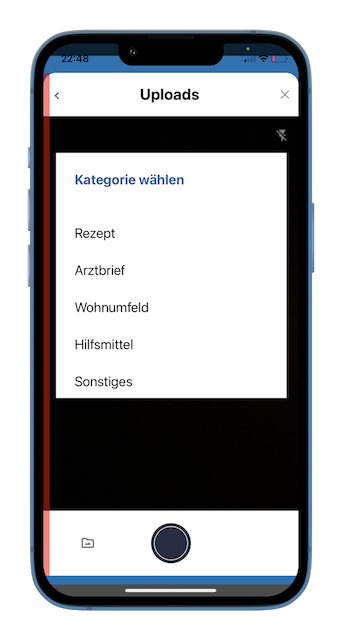
On the “Uploads” page, you can choose whether you want to upload a prescription, a doctor’s letter or a photo of aids or your living environment to the patient account on the Outpatient Partner advertising portal.
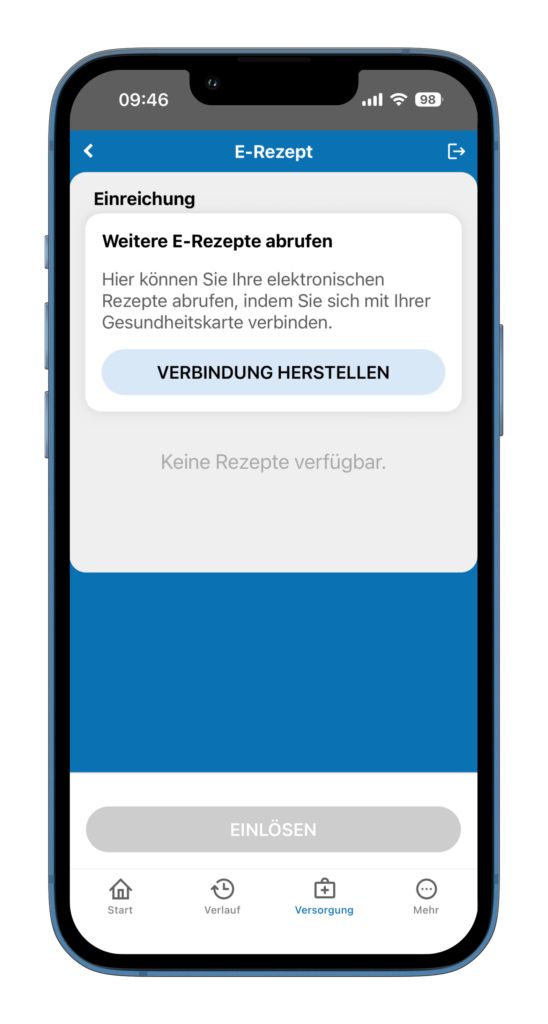
E-prescription
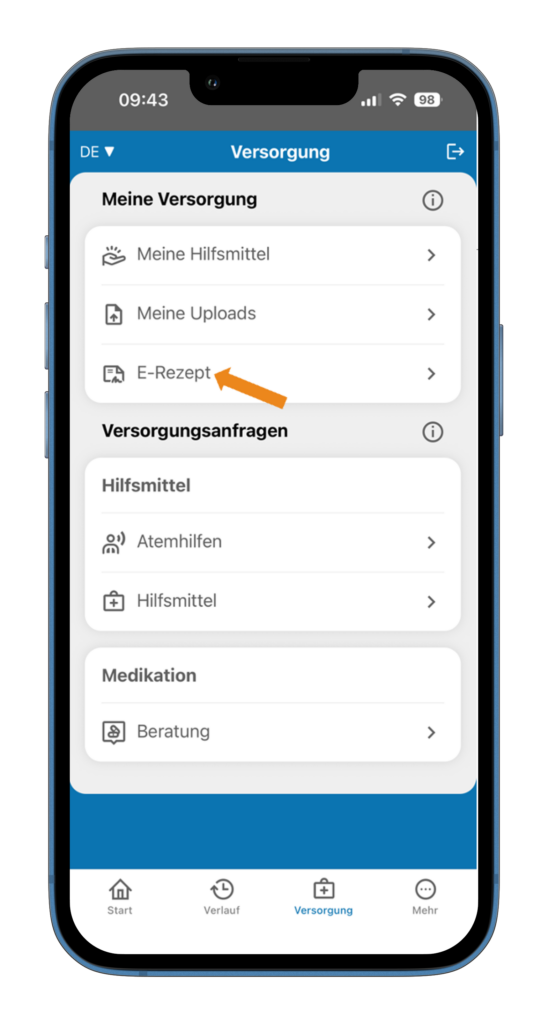
You will find the “E-prescription” function under the “Care” button. You can use this to call up your electronic prescriptions directly in the app. To do this, simply connect to your health card and you will then have convenient access to your stored e-prescriptions.
Queries and help
We hope that this information will be helpful when using the new SMA app. You can find out more at: https://www.ambulanzpartner.de/sma-app
We have extensively tested the changes in the software. Nevertheless, errors in live operation cannot be completely ruled out. Should you therefore have any queries or wish to report an error, please do not hesitate to contact us. You can reach us at
Mail: info@ambulanzpartner.de or phone: 030-81031410
We look forward to the launch of the new SMA app and your feedback as a user.
Your APST team